Short answer: what does Tasnif do?
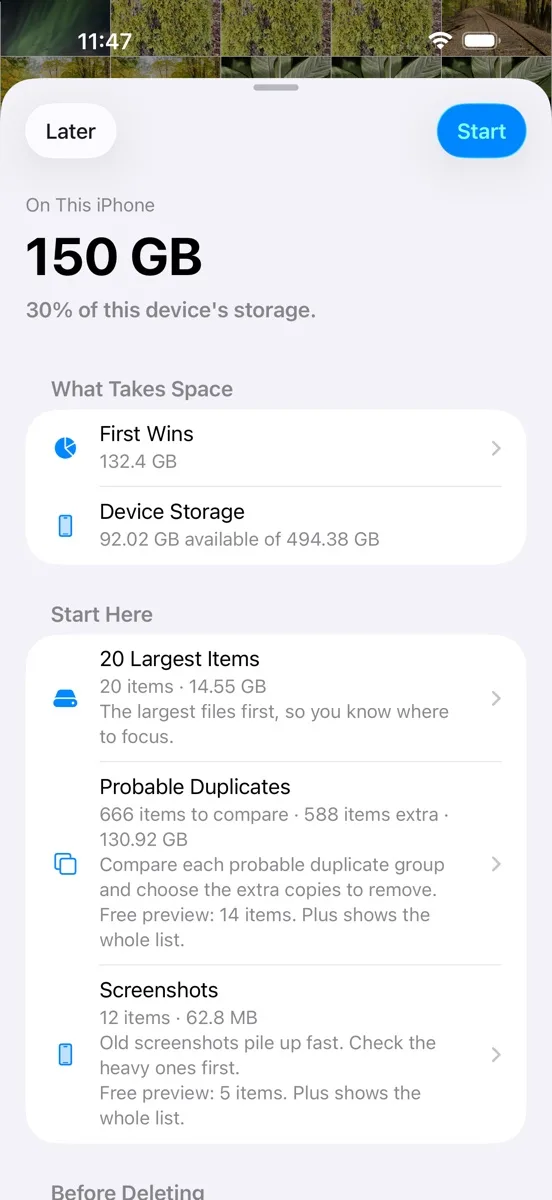
Tasnif is a free iPhone app that helps you understand why Photos is using so much storage before you pay for more space or delete random pictures. It surfaces the high-impact media that is easy to miss: long videos, screen recordings, screenshots, RAW photos, heavy imports and probable duplicate groups. The review stays gradual: you see occupied space, choose what to inspect, then deletion still goes through the standard Apple Photos confirmation. Tasnif does not replace iCloud and does not promise automatic cleanup. Its job is simpler: show where the real storage is inside the Photos library with a local, private workflow. Photos and videos stay on the device, with no Tasnif account and no media upload to a Tasnif server. It is useful before an iCloud purchase, before a large delete session, or when Settings says Photos is filling the iPhone.
- Start with long videos and screen recordings.
- Check screenshots, RAW photos, heavy imports and probable duplicates.
- Keep deletion inside the Apple Photos confirmation flow.